


Genix Art: AI Art Generator
4.29.00 Reviews
App Specs
- Version
- 1.1.6_20260909
- Updated On
- License
- Free
- Downloads
- 1,000,000+
- Developer
- Amobear Application - AILABS.
- Categories
- Art & Design
- Platform
- Android
Screenshots
 Analysis by AppCompare
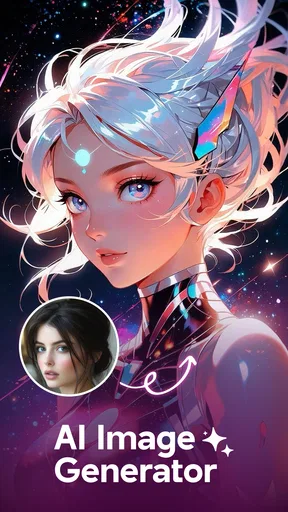
I like creative apps best when they help me get from a vague idea to an image I can actually use without turning the process into a project. Genix Art: AI Art Generator is aimed at that quick, playful kind of creation: making AI-generated avatars, anime-style artwork, and photo-like images from a phone. My impression is that it is most appealing as a low-commitment way to explore visual ideas, rather than as a replacement for a traditional drawing or photo-editing workflow.
It sits in the art and design category and is developed by Amobear Application - AILABS. The app is free to install, with in-app purchases listed from $5.49 to $99.99 per item. That distinction matters: trying it does not require an upfront purchase, but the free starting point should not be confused with unlimited access to every option. The app is rated for Everyone, which makes it broadly accessible, though the AI-generated results themselves still deserve a sensible eye before sharing.
What the free starting point can offer
I find the free entry point most useful as a way to test whether this kind of prompt-led image making suits me, rather than as a promise of unlimited creation. Before spending, I’d decide what I want to make and see whether the available experience gets close enough; that gives the app’s purchase options a practical measure of value.
A quick route from idea to image
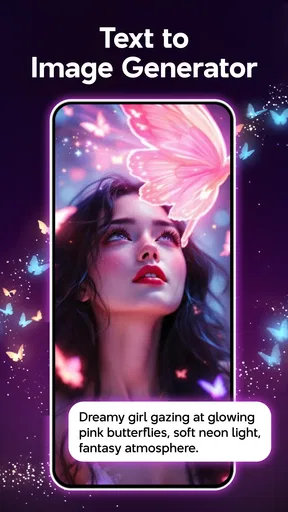
The clearest reason to try Genix Art is its focus on turning a prompt or creative direction into an image with little setup. If I want a new profile picture, a stylized character, or a visual concept to send to a friend, an AI art app can be faster than opening a full illustration program and building everything by hand. The appeal here is immediacy: I can begin with an idea and see what the generator makes of it.
That convenience is useful even when the result is not final. I might be deciding whether a character should feel soft and whimsical or dramatic and futuristic. Generating an image can give me a starting point, reveal a direction I had not considered, or help me explain the look I want to create elsewhere. I would treat the output as inspiration or a shareable experiment, not assume every image will be polished enough for professional work.
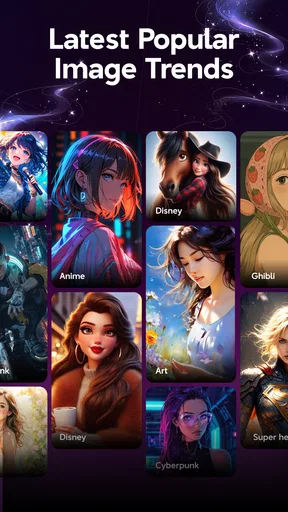
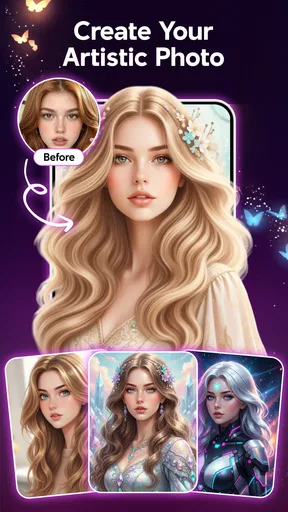
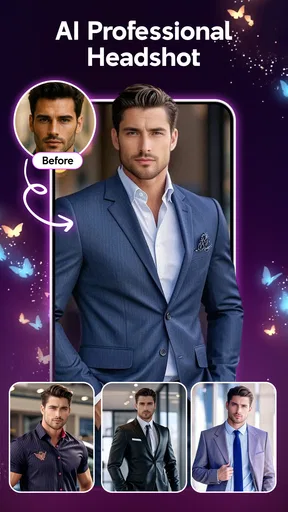
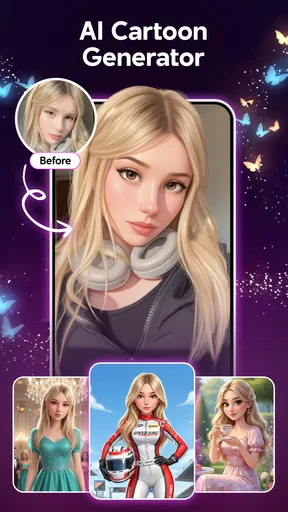
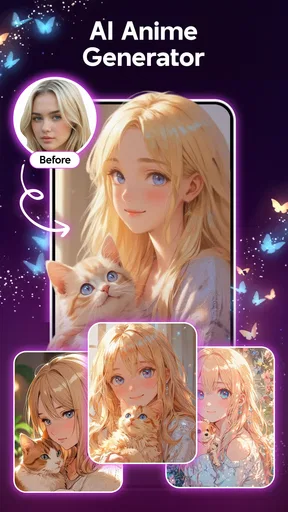
The app’s focus on avatars, anime art, and AI photos gives it a more specific everyday purpose than a general drawing canvas. Those styles suit social profiles, casual gifts, mood boards, and playful personal projects. If I only want to crop a photo, remove a blemish, or adjust lighting, a conventional photo editor is still the more direct tool. Genix Art makes more sense when I want an image transformed or imagined, rather than simply corrected.
How I would use it in a real routine
Imagine I need a temporary avatar for a group chat and do not want to use a real photograph. I would start with a clear idea of the mood and subject, generate a few possibilities, then compare them at the size the avatar will actually appear. That last check is easy to skip: small profile images hide fine detail, so a clean silhouette and readable expression may matter more than intricate decoration.
Worth Reading Before You Choose

EA SPORTS FC Mobile 26 Is a Bigger Football Game, but It Takes Time

Flipboard Shows What News Apps Must Do Beyond the Feed

Switching to Android Auto Means Rethinking Your Driving Routine

Google Calendar Makes a Crowded Week Easier to Manage

Ludo King Makes the Most of the Minutes Between Plans

Baby Panda World Brings Quick Play to Modern Phones, but Its Game Library Feels Busy
For a more useful creative workflow, I would keep each request focused on one main choice. If I want an anime-style portrait with a particular mood, I would avoid piling on unrelated details at once. When a result is close but not right, changing one part of the direction at a time makes it easier to learn which wording is steering the image. This is a practical way to get more control from a generative tool without expecting it to behave like a layer-based editor.
I would also save a good result before continuing to experiment, where the app’s available options allow it. Generative work can be unpredictable, and a later attempt may change the composition rather than improve it. Keeping a preferred version separate from ongoing experiments helps when I am making an image for a specific occasion rather than browsing for fun.
Value is about access, not a promise of unlimited use
Because the app is free to install, I can approach it as a trial of the creative experience before deciding whether it deserves more of my time. The paid items range from $5.49 to $99.99, a wide span that makes it especially important to check what a particular purchase covers in the app before paying. I would not judge the value of an item by its price alone; I would first ask whether I use the app often enough, and whether the purchase addresses a limit I have actually run into.
That is the most grounded way to assess the cost. Someone who only wants to create one amusing avatar may get enough enjoyment from exploring the free entry point and never need to buy anything. Someone who returns repeatedly for personal projects may find paid access more worthwhile, but only if the specific item fits their usage. I would avoid purchasing in advance based on an assumption that payment automatically means better artistic control or professional-grade results.
AI image generation also has a different kind of value from a drawing subscription. It can save time when I need a visual starting point, but it does not teach the same hands-on skills as sketching, and it may not provide the precise control I would get from editing individual layers. If control over anatomy, typography, layout, or exact brand colors is essential, a dedicated design app—or a human illustrator—may be a better use of money.
A small test before deciding to pay
When I am weighing a purchase, I would first make a short list of what I actually want to produce: perhaps one avatar, a few character concepts, or images for an informal mood board. Then I would test whether the free experience gets me close enough to those goals. This gives the paid choice a practical benchmark instead of letting an appealing preview or a burst of enthusiasm set my expectations.
I would also separate “I want to make more images” from “I need a particular paid option.” Those are not necessarily the same thing. If I have not yet run into a clear limitation, I would wait; if I keep returning to the app and know exactly what an item would help me do, its value is easier to judge. That cautious approach is especially useful when purchase options span a wide price range.
Where the experience asks for patience
A little patience pays off when I treat each attempt as a visual draft, not a guaranteed finished image. I’d change one part of my description at a time and check promising results at the size and context where I plan to use them. That makes it easier to tell whether another attempt might help or whether a more controllable editor is the better next step.
Generated images need selection and judgment
The main tradeoff with an AI art generator is that a quick request does not guarantee a usable result. A picture can match the broad theme but miss the expression, pose, or balance I had in mind. That is not a reason to dismiss the app, but it does mean the creative work shifts: instead of drawing every detail, I spend time describing the idea, reviewing variations, and deciding which imperfections I can accept.
For avatars, I would inspect the face and crop closely before using an image publicly. For anime artwork, I would check whether the character’s features and pose look coherent, rather than assuming a striking style means the image is finished. For a photo-like result, I would be particularly careful about details that look plausible at first glance but odd on closer inspection. These checks are useful whether I am making something for myself or sharing it with others.
There is also a difference between inspiration and dependable production. If I need the same character to look consistent across several images, or need a precise composition for a client brief, a prompt-led generator may take repeated adjustment and still not provide enough control. In those cases, I would use Genix Art to explore concepts, then move to a tool that lets me refine the result more deliberately.
It is not a full illustration studio
I would not choose this app expecting the workflow of professional drawing software. Its stated appeal is AI-created imagery, not a promise of detailed brush control, editable vector shapes, or a complete design-production pipeline. That distinction helps set expectations: it is for generating and exploring visual ideas, not necessarily for finishing every asset from beginning to end.
Compared with a basic photo editor, it is better suited to imaginative transformations than routine touch-ups. Compared with a full digital painting app, it prioritizes speed and generated results over direct control of every stroke. And compared with a web-based image generator, the advantage to a phone app is the convenience of creating on the device I already carry; a larger-screen tool may still be more comfortable when I need to review fine details or organize a complex project.
It is also worth thinking about the purpose of an image before generating it. A casual avatar and a commercial logo have very different requirements. If the image needs exact lettering, strict brand consistency, or a clearly documented production process, I would not rely on a quick AI result as the finished deliverable. The app can still help me brainstorm, but the final decision should match the stakes of the project.
Match the tool to the job
For a low-stakes personal image, I can accept a little visual oddness if the overall mood works. For a school presentation, a small illustration used as inspiration may be enough, while a polished poster with precise text calls for a layout tool where I can place and adjust every element. The practical distinction is not simply whether an image looks attractive; it is whether I can control the details the task depends on.
I would take the same care with images intended to represent a real person. A generated portrait can be fun as a stylized avatar, but I would review it before sharing and avoid treating a synthetic likeness as an accurate photograph. That is a useful boundary for casual creativity: enjoy the transformation, but be clear about what the finished image represents.
Who is likely to get the most from it?
I’d get the most from this app if I enjoy exploring styles and can use generated images for casual, low-stakes projects. It is less suited to work where consistency, precise placement, or a polished final asset matters more than quick inspiration. The sections below weigh those differences against the kinds of creative routines that make the app worthwhile.
Good for curious creators and casual sharing
I can see Genix Art suiting people who enjoy trying visual styles but do not want to learn a full drawing package first. It is a natural fit for someone who wants a distinctive avatar, enjoys anime-inspired imagery, or likes turning an idea into a quick visual to share. It may also help a hobbyist get unstuck by offering a few possible directions before they start drawing or designing on their own.
It is less compelling for someone who already has a precise, repeatable workflow in a professional art program and needs exact control over every element. It is also a poor match if the goal is simply to edit ordinary photographs, since a standard image editor is designed around that job. And if I would only use it once, I would keep my spending at zero unless the free experience clearly leaves me wanting a specific paid option.
The app has an average rating of 4.2 from around 2,500 ratings, and it has passed 1 million installs. I take that as a sign that it has attracted a sizeable audience, not as a guarantee that every generated image will meet my expectations. Individual results and personal preferences matter more than popularity when the core experience is creative experimentation.
Version and device fit
The current version is 1.1.6_20260909, and it requires Android 8.0 or later. I would check that requirement before planning to install it on an older phone. The listed release date is October 19, 2025, so this is a relatively recent entry in the app’s release history; I would still judge it by how well its current tools fit my needs rather than assuming age alone tells me how polished it is.
For practical use, I would try the app with a small, low-stakes idea first. That gives me a chance to see whether its image style appeals to me, whether I enjoy refining prompts, and whether the available free access is enough for the way I create. If the results suit my taste, I can then consider whether a paid item offers value for a recurring need. If they do not, I have learned that without treating the app as a required purchase.
Who should look elsewhere
I would steer a client-facing designer toward a tool with more predictable editing when a project has strict specifications, repeated revisions, or a fixed visual identity. A prompt-driven result can be useful for opening up possibilities, but the work still needs to meet the brief. For that sort of job, an illustration or layout app is a safer place to finish, even if Genix Art helps me sketch out a direction first.
It is also not the right pick for someone who dislikes trial and error. The pleasure of this kind of generator comes partly from seeing what a prompt produces and deciding whether to keep, revise, or abandon it. If I want exact results on the first attempt, or prefer to make every mark myself, I would choose a conventional editor or drawing app instead.
My verdict on whether to try it
I would recommend Genix Art to a friend who wants a convenient way to experiment with AI-generated avatars, anime-inspired images, and photo-like art. Its strongest value is the low barrier to trying a visual idea, especially for casual sharing or early-stage inspiration. The free installation makes it reasonable to explore, while the range of in-app purchase prices means I would inspect the available terms carefully before spending.
I would skip it—or use it only as a brainstorming companion—if I needed precise design control, dependable character consistency, or straightforward photo retouching. Its appeal depends on being comfortable with selecting and refining generated results rather than directing every detail by hand. For curious users who enjoy that tradeoff, it is worth a cautious try; for anyone with a strict production brief, a more controllable art or editing tool is likely the better choice.
Pros
- Turns text prompts into artwork without requiring drawing skills.
- Offers a quick way to explore different visual ideas and styles.
- Generated images can be used as inspiration for creative projects.
- Simple prompt-based workflow is easy for beginners to understand.
- Useful for experimenting with concepts before making art manually.
Cons
- Results may not match the prompt exactly and can require several attempts.
- Fine details
- hands
- and text in images may appear distorted.
- Output quality and available tools can vary by device or plan.
- Some features or image generations may require payment or credits.
- AI-generated artwork may raise copyright and ownership questions.
FAQs for Genix Art: AI Art Generator
What is Genix Art: AI Art Generator?
Genix Art is an AI image-generation app that turns written prompts into original artwork. You describe the subject, scene, or style you want, and the app uses that information to create an image. It may suit users who want to experiment with visual ideas without drawing by hand, though the results can vary depending on the prompt and available generation options.
How do I create an image with Genix Art?
Start by entering a clear description of the image you want, including useful details such as the subject, setting, mood, and artistic style. If the app offers additional controls, such as aspect ratio or style choices, adjust them before generating. AI results are not always predictable, so refining the wording and trying again may help you get closer to your intended image.
Is Genix Art free to use?
Check the app’s current store listing and in-app purchase details before downloading, because pricing, free generation limits, and subscription options can change. Some AI art apps let you try a limited number of creations at no cost and reserve higher usage limits or extra features for paid plans. Review any trial terms carefully, including when a subscription renews and how to cancel it.
Can I use images made with Genix Art commercially?
Commercial use depends on the app’s current terms, the plan you use, and any rights or restrictions that apply to the generated image. Do not assume that an image is automatically cleared for advertising, resale, or client work simply because the app created it. Read Genix Art’s license and policies, and consider checking the rights to any reference material or recognizable characters included in your prompt.
What should I know about privacy before using Genix Art?
Creating images may involve sending your prompt or other content to online AI services, so check the app’s privacy policy to learn what is collected, how it is processed, and whether it may be retained. Avoid entering sensitive personal information or uploading private photos unless you understand how they will be handled. Also review the permissions requested by the app and grant only those needed for the features you use.


